Your NIF, ready at the till.
Never spell out your Portuguese tax number again. NIFly shows it as a barcode for the scanner and as large digits for the cashier, on one screen, in a second.
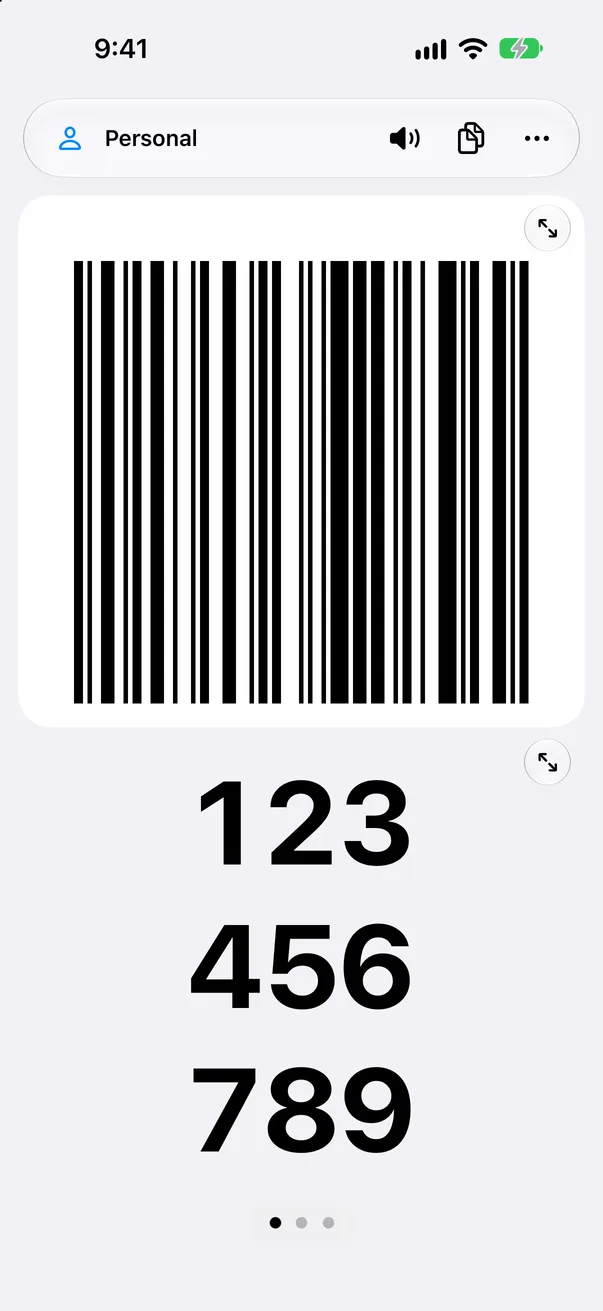

One screen, whatever the shop has.
A scanner, a keyboard, or a noisy queue: the same screen handles all three, so nobody has to ask you for a different view.
A barcode that scans
Black on white at full brightness, sharp on every pixel. Tap it to fill the screen.
Digits a cashier can read
Three groups of three, large enough to read from across the counter. Tap to enlarge.
Read aloud in Portuguese
Hands full? NIFly says the number, group by group, at normal or slow pace.
Personal, company, family
Keep several NIFs, each with a name and a colour. Swipe to change.
Scan your paper card
Point the camera at an existing NIF card and the number is filled in for you.
Private by design
No account, no server, no tracking. Your NIF stays on your iPhone.
Made for the two seconds at the counter.
Open, show, done. Everything else stays out of the way.
Barcode and digits together
The scanner reads the top half, the cashier reads the bottom half.
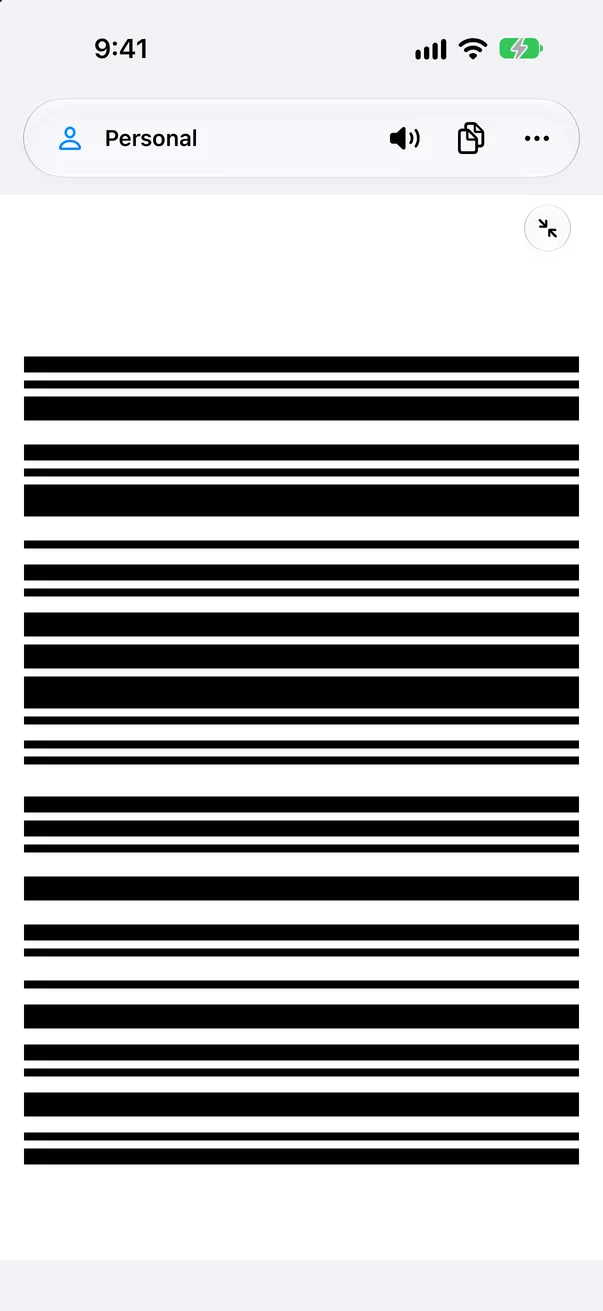
Enlarge either one
A tap fills the screen with the barcode, turned along the long edge for the widest bars.
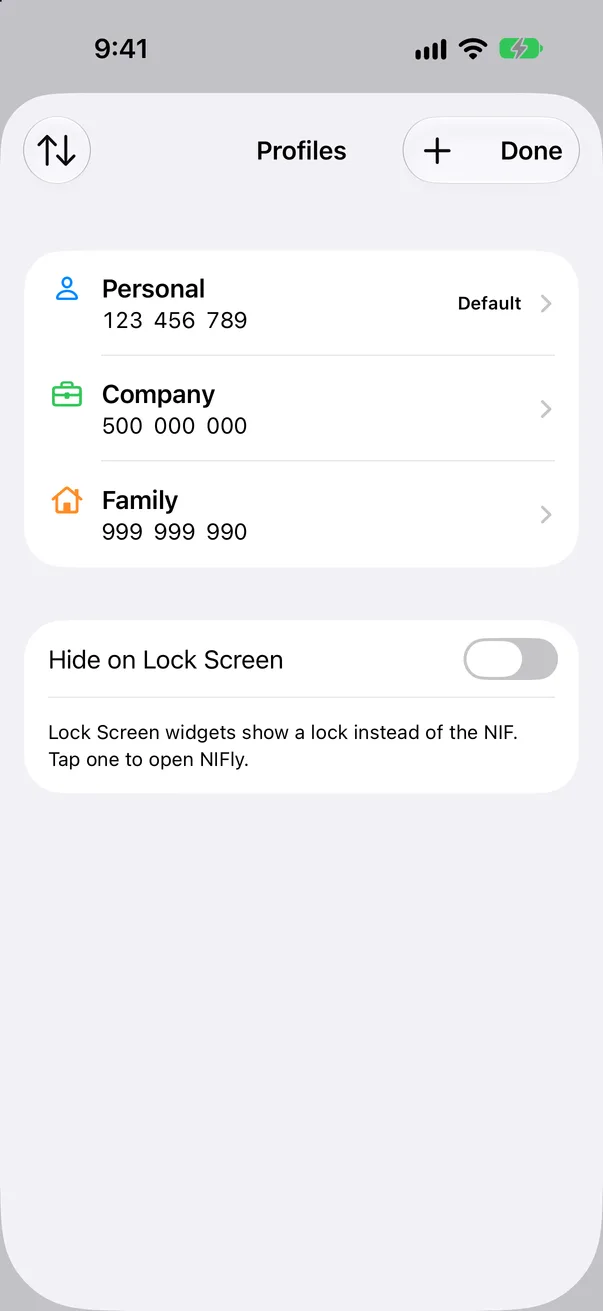
All your NIFs
One default profile, others a swipe away.
There before you unlock.
Put your NIF where your thumb already is. NIFly works with every shortcut iOS offers.
Lock Screen widgets
Digits, or a barcode that scans straight from the Lock Screen. A setting hides the number until Face ID.
Action button and controls
One press shows the barcode. A control in Control Center or on the Lock Screen says it aloud.
Siri and Shortcuts
"Show my NIF in NIFly." "Say my NIF with NIFly." Or use the actions in your own shortcuts.
Stop spelling it out.
Nine digits, a hundred times a year. Let your iPhone say them.
Free to use. One small price for more.
No subscription, no ads, nothing that expires.
NIFly
Free
Everything, for one NIF.
- Barcode, large digits and speech
- Lock Screen and Home Screen widgets
- Action button, controls, Siri and Shortcuts
- English and Portuguese
Unlock
€1.99
Paid once. Apple converts the price for other countries.
- As many profiles as you need
- Apple Watch when it arrives, at no extra cost
- Shared with your family through Family Sharing
Frequently asked questions
Something else? Write to us.
Is NIFly an official app?
No. NIFly is an independent app. It is not affiliated with Autoridade Tributária e Aduaneira, and it does not connect to any tax service.
Where is my NIF stored?
On your iPhone, and in your own backups of it. NIFly has no account and no server, and sends nothing to us or anyone else.
Will every shop be able to scan it?
Most scanners read the barcode. Where one does not, or there is no scanner, the cashier types the large digits beside it.
Does it work without a connection?
Yes. Showing, scanning and reading aloud all work offline, and so does the unlock once bought.
What does the unlock add?
More than one profile now, and Apple Watch when it arrives. It is paid once. The free app is complete for one NIF.
How do I get my purchase on a new iPhone?
Add your first profile, then open Profiles, tap + and choose Restore purchases. In this version profiles are not copied between devices, so add them again on the new iPhone.
Can I hide my NIF on the Lock Screen?
Yes. In Profiles, turn on Hide on Lock Screen. Lock Screen widgets then show a lock, and a tap opens NIFly after Face ID.
How do I get a refund?
Purchases are handled by Apple. Ask at reportaproblem.apple.com.
Which iPhones does it need?
An iPhone with iOS 27 or later.